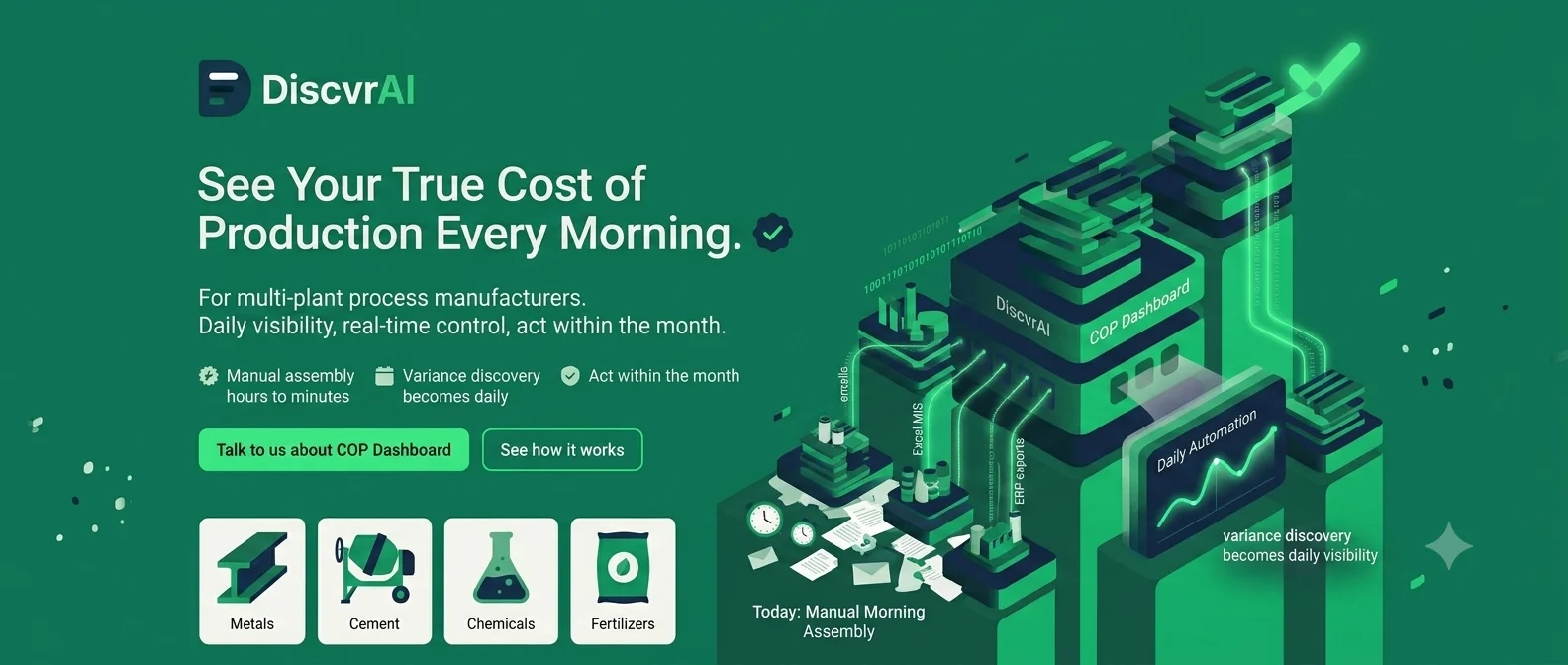
See your true cost of production every morning, not at month-end.
For multi-plant process manufacturers who need daily cost visibility, not a month-end surprise.
Who it's for
Mid-to-large, multi-plant process manufacturers, metals, cement, chemicals, fertilizers, where raw material, energy and freight cost volatility is a board-level concern.
Typically championed by
The shift
Month-end COP is a discovery exercise, not a confirmation. Finance teams manually stitch together plant emails, Excel MIS and ERP exports every morning, and cost overruns are found weeks after they happened, when it's too late to act.
Manual daily assembly time drops from hours to minutes. Month-end variance discovery becomes daily, real-time visibility. The finance team can act on cost movements within the month instead of after it closes.
How it works
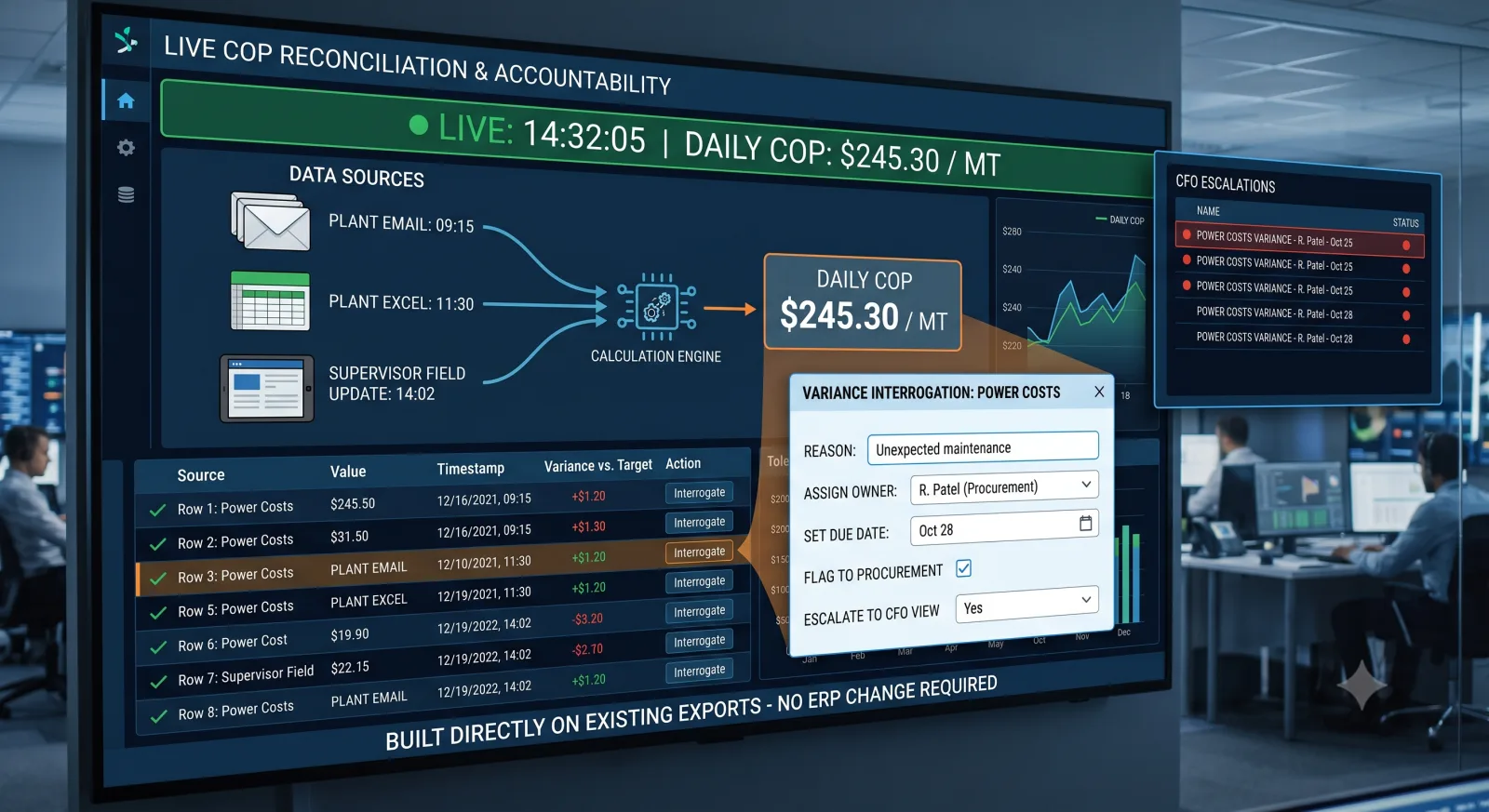
The dashboard reconciles multiple live sources, a plant email, a plant Excel, a supervisor's field update, into one daily COP figure per MT, showing exactly which source fed each number. Built directly on your existing data exports, with no ERP change. Users can interrogate a variance directly (why did this move?), flag it to procurement, assign an owner and due date, or escalate to the CFO view, without leaving the dashboard.
- Step 1
Reconcile Live Sources
A plant email, a plant Excel and a supervisor's field update are reconciled into one daily COP figure per MT, built on your existing data exports, no ERP change.
- Step 2
Trace Every Number to Its Source
Each figure is tagged to exactly which source fed it, so nothing is a black box.
- Step 3
Interrogate a Variance
Ask why a number moved, directly inside the dashboard.
- Step 4
Act Without Leaving the Dashboard
Flag it to procurement, assign an owner and due date, or escalate to the CFO view.
Agents deployed for this module
These are the named agents we deploy when COP Dashboard is the production module for your business problem. Each agent is a job we deploy for you. You do not buy software and install it yourself.
See all agents we deployRelated case studies
A large aluminium refinery assembled cost-of-production manually every month-end.
Month-end variance discovery became a daily, real-time view, no ERP change required.
A multi-plant cement manufacturer discovered energy and freight cost overruns only at month-end.
Cost overruns are now flagged and actioned within the month instead of after it closes.
A specialty chemicals manufacturer had no single source of truth across plant-level cost data.
Finance now interrogates a cost variance directly instead of waiting on a manual reconciliation.
You might also need
Related insights
David vs. CPG Goliaths: How AI Empowers Mid-Market Food Manufacturers to Compete
AI is levelling the field between mid-market food manufacturers and enterprise-scale CPG competitors, through better demand forecasting, computer-vision quality control, faster product development, and the agility to deploy faster than legacy-bound giants.
Read article · 6 min →Manufacturing & FMCGFrom Dashboards to Decisions: How Agentic AI Can Transform Manufacturing Operations
Manufacturers already have plenty of data, what they lack is speed of decision, since choices stay fragmented across systems and teams. Agentic AI works best as an execution layer on top of existing ERP, starting with one bounded workflow and a human-in-the-loop approval gate.
Read article · 6 min →Manufacturing & FMCGWhen the Kiln Already Knows It's About to Fail
Plants already generate the data needed for predictive maintenance and quality improvement, in historians, MES and SCADA systems, without needing new sensors. Physics-aware anomaly detection, remaining-useful-life models, computer vision and time-series forecasting turn that existing data into decisions inside the workflows planners already use.
Read article · 6 min →Get in touch
Frequently asked questions
Typically a matter of weeks, working from your existing data exports, no ERP change required.
No, the dashboard is built on top of your existing plant emails, Excel MIS and ERP exports.
The formula is validated directly against your own manual Excel/MIS process before go-live, and closely tracks it thereafter.
Whatever you already produce, plant emails, Excel MIS and ERP exports, reconciled into one daily COP figure per MT, with each number tagged to the source it came from.
Yes, it's built for multi-plant process manufacturers where each plant may report cost data differently, reconciling all of it into one consistent daily view.
You can interrogate the variance directly in the dashboard, flag it to procurement, assign an owner and due date, or escalate it to the CFO view, without leaving the tool.
No, month-end close still happens. This front-loads visibility so cost overruns are caught and actioned during the month, not discovered weeks later at close.
Multi-plant process manufacturers in metals, cement, chemicals and fertilizers, where raw material, energy and freight volatility are a board-level concern.